
Account Settings • 1 min read
API Access
Use Twilanswer’s REST API from your own tools. Generate an API key in org settings, then browse the full reference for endpoints, examples, and authentication.
Twilanswer offers a REST API so you can integrate with your own systems—for example, retrieving call records, working with other resources we expose, and building automations around your organization’s data.
The API is documented in our interactive reference, including all endpoints, request and response shapes, and examples you can try against your account (where applicable).
View the Twilanswer API reference →
Beta: The API may evolve as we add capabilities and refine behavior. If something you need is missing or unclear, we welcome feedback.
API keys
Every request must authenticate with an API key tied to your organization. You create and manage keys from Twilanswer.
Generate a new API key
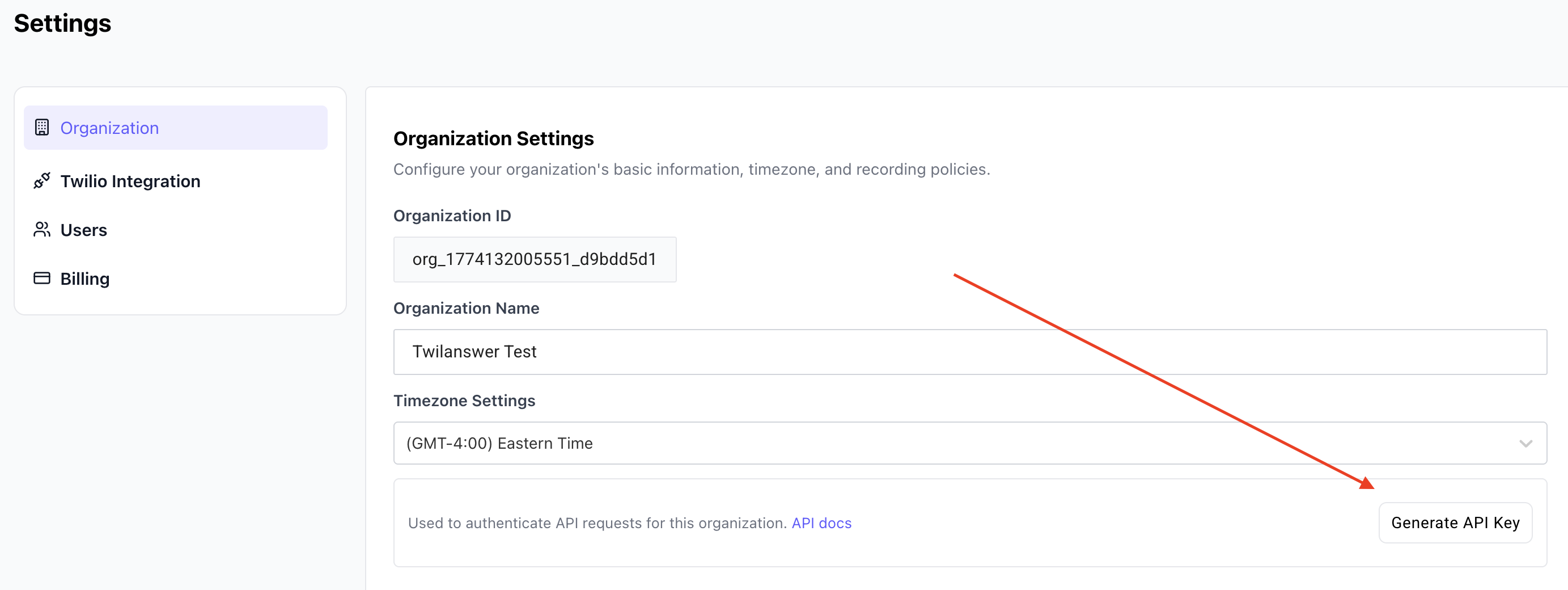
- Open Organization settings in Twilanswer.
- Find the API key section and click Generate API key.
- When the key appears, copy it immediately and store it somewhere safe (password manager, secrets store, etc.).
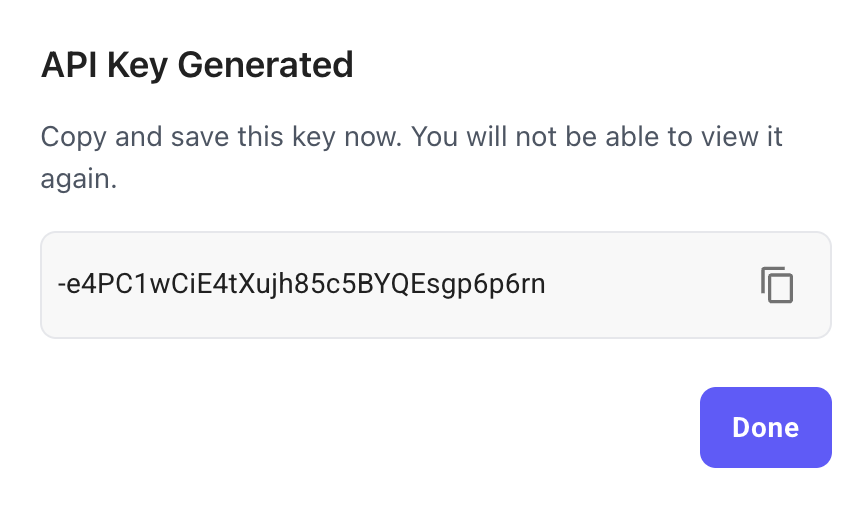
Important: The full key is shown only once. After you leave this screen, Twilanswer cannot display it again. If you lose it, you must regenerate a new key (see below).
Already have an API key?
If your organization has already created a key, you will see Regenerate API key instead of Generate API key. Regenerating creates a new key and invalidates the previous key immediately. Anything still using the old key will stop working until you update it, so plan the change and update your integrations before rotating.