
Getting Started • 1 min read
How to Delete a Twilio Phone Number
Remove an unused Twilio phone number and understand how it affects Twilanswer call routes and options. Learn how to delete the number.
Deleting an Unused Twilio Number
- Navigate to Twilio’s Phone Number Management
- Go to Twilio Console.
- Select the Number to Delete
- Find the number you want to remove in your Active Numbers list.
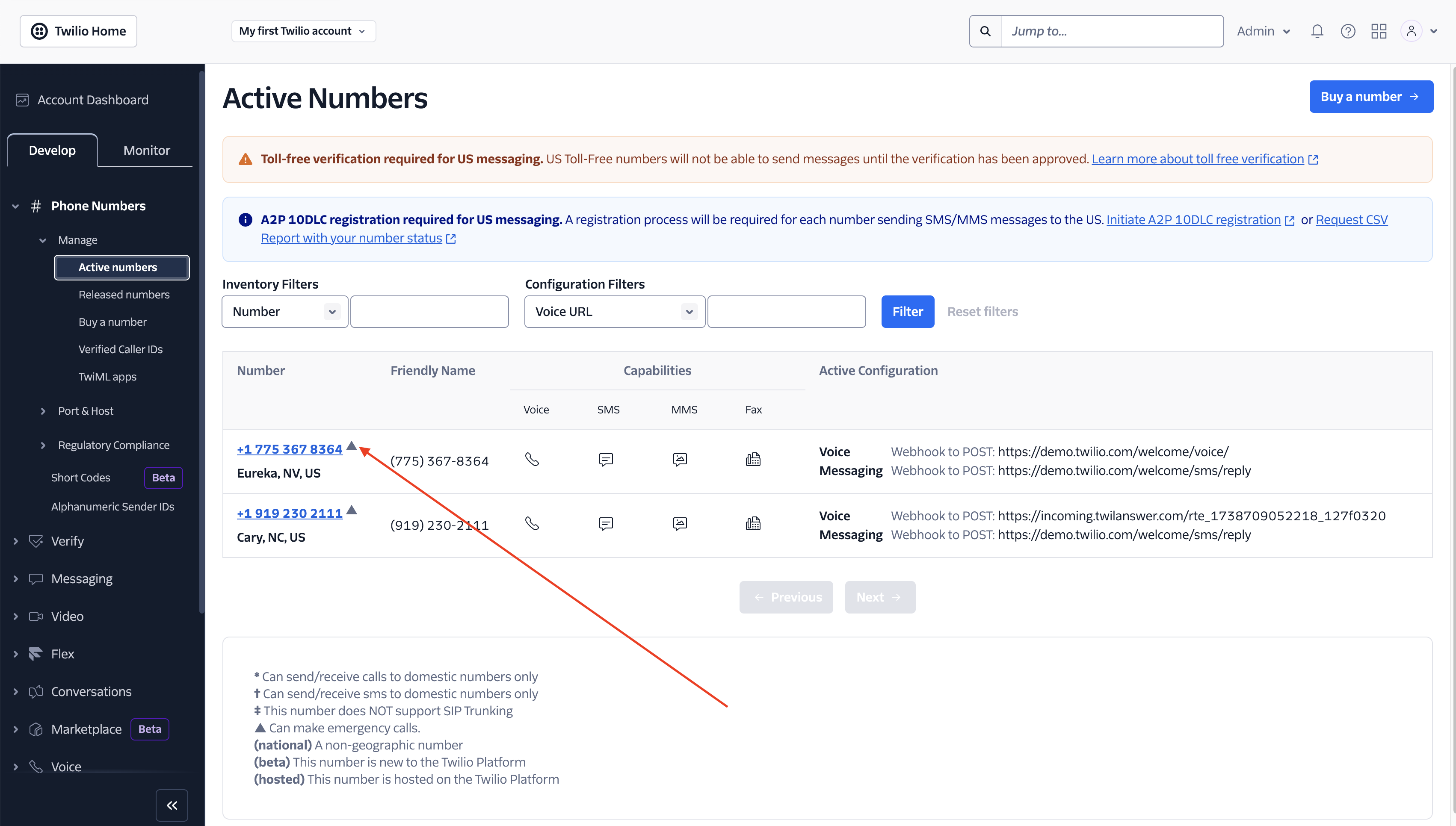
- Find the number you want to remove in your Active Numbers list.
- Access Phone Number Properties
- Select the Phone Properties Tab
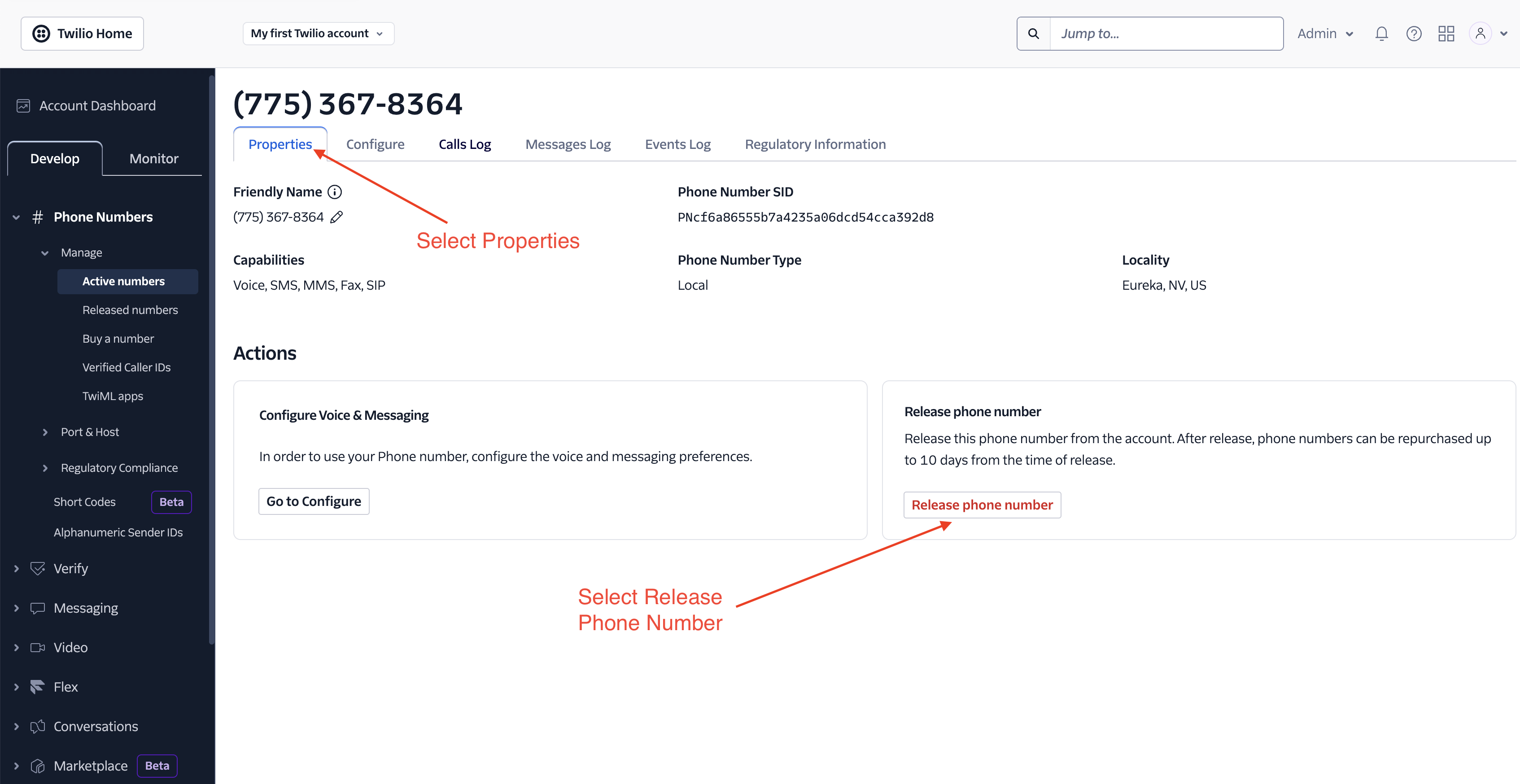
- Select the Phone Properties Tab
- Release the Phone Number
- Scroll to the Properties section.
- Click Release Phone Number.
- Confirm the release when prompted.
Effects on Twilanswer
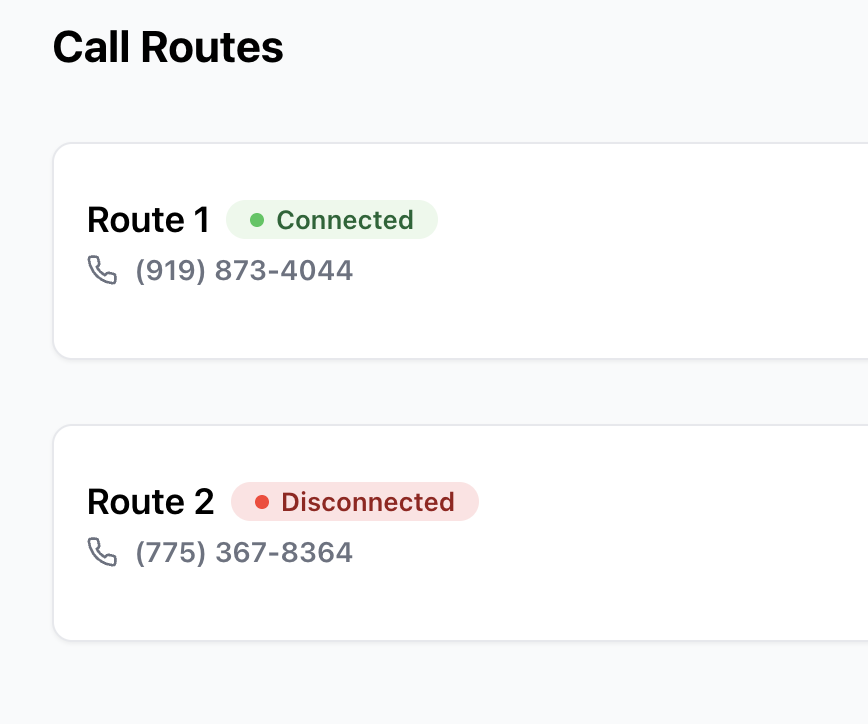
- If you refresh Twilanswer after deleting a number, it will no longer appear as an available option.
- Any Call Routes that were pointing to the deleted number will no longer be connected.
- If needed, update your call routes to use a different number.
For more details on setting up new numbers, see How to Purchase a Twilio Number.
Your Twilio number has now been successfully removed from your account!