
Getting Started • 1 min read
How to Create a Twilanswer Account
Creating a Twilanswer account only takes a few minutes and helps you enable calling for your Twilio number easily.
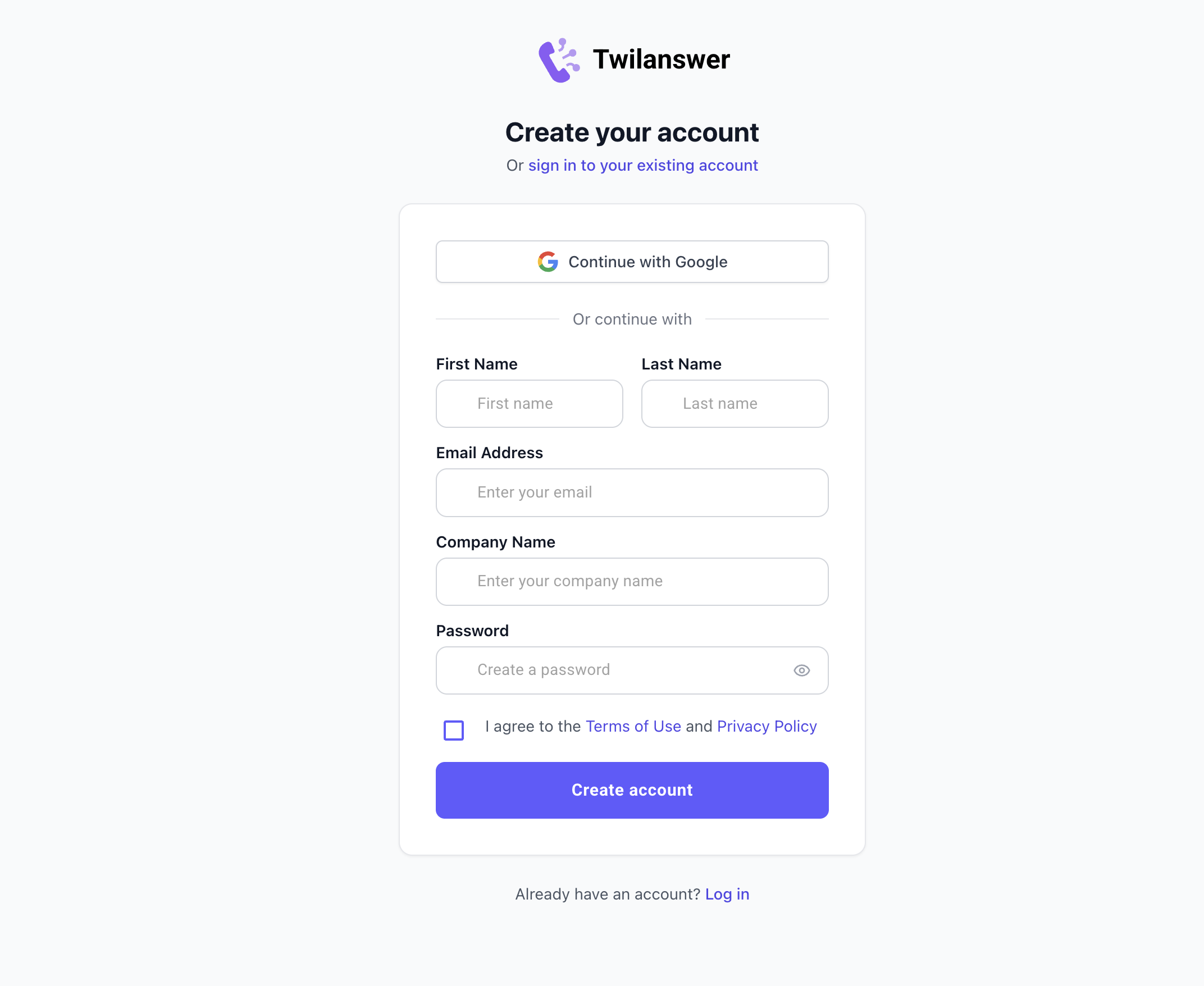
Step 1: Complete the registration form
- Go to https://app.twilanswer.com/register.
- Fill out the required information:
- Name
- Company Name
- Password
- Agree to the Terms and Conditions.
- Click Register to proceed.
Step 2: Configure your Twilio integration
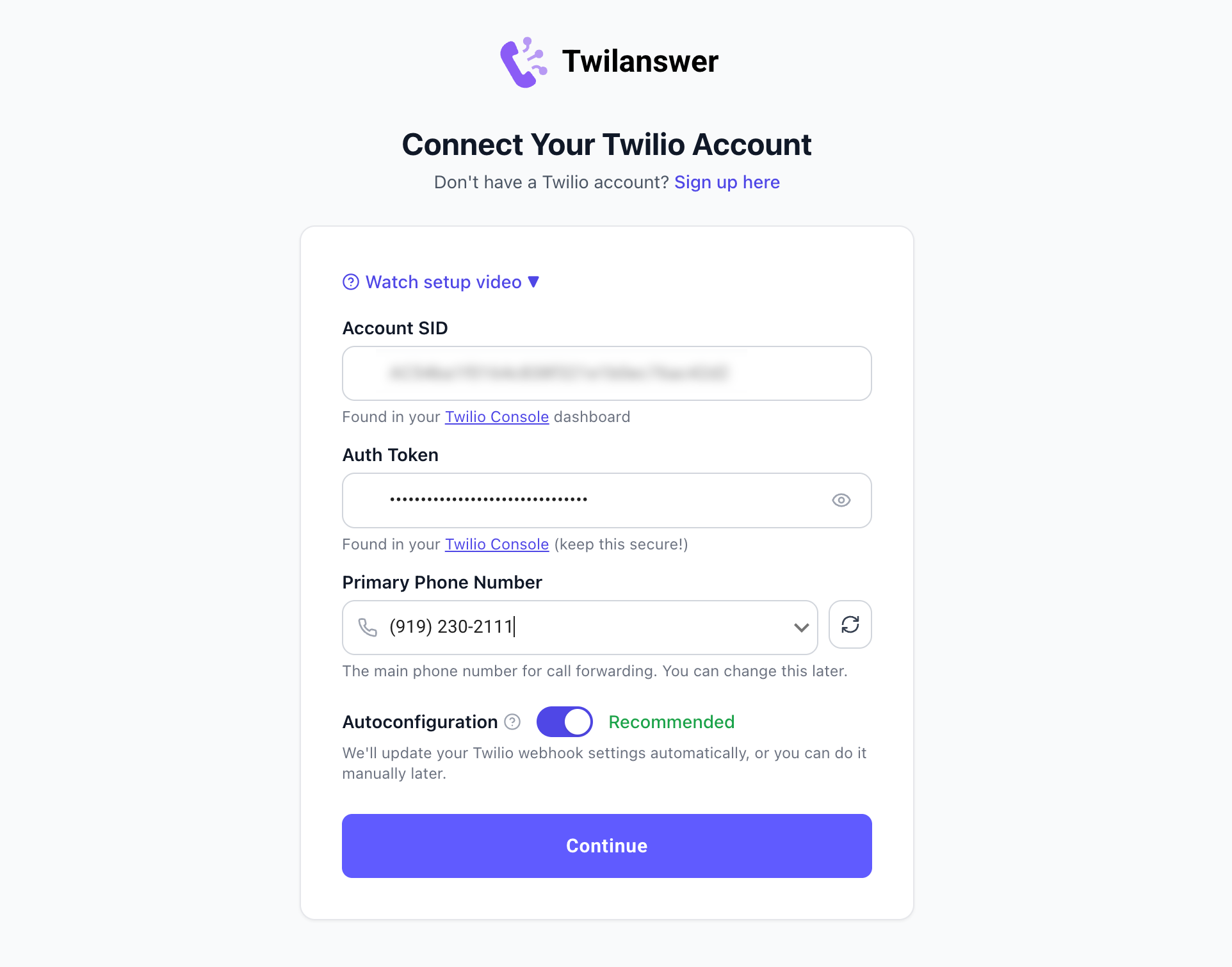
Twilanswer needs your Twilio credentials so it can work with your phone numbers. You must connect an existing Twilio account—there is no demo-number option.
If you do not yet have a Twilio account, see How to Create a Twilio Account.
Enter your credentials
Enter your Twilio Account SID and Authorization Token (Auth Token). You can find both on your Twilio Console.
Choose your primary phone number
Pick the number that should be your default for call routes and outbound dials:
- If you have multiple numbers, consider selecting the one you use most for customer calls.
- You can change this number later in your settings.
Autoconfiguration
You will be asked whether to enable Autoconfiguration. We recommend turning it on: selecting Yes allows Twilanswer to automatically update the voice configuration in your Twilio account to align with your Twilanswer settings.
For more details, see Autoconfiguration.
Step 3: Create a call route
When your Twilio connection is saved, your Twilanswer account is ready and you'll open the app. Next, we recommend adding a call route so incoming calls are handled the way you want. You can create one from the screen you see after sign-in.
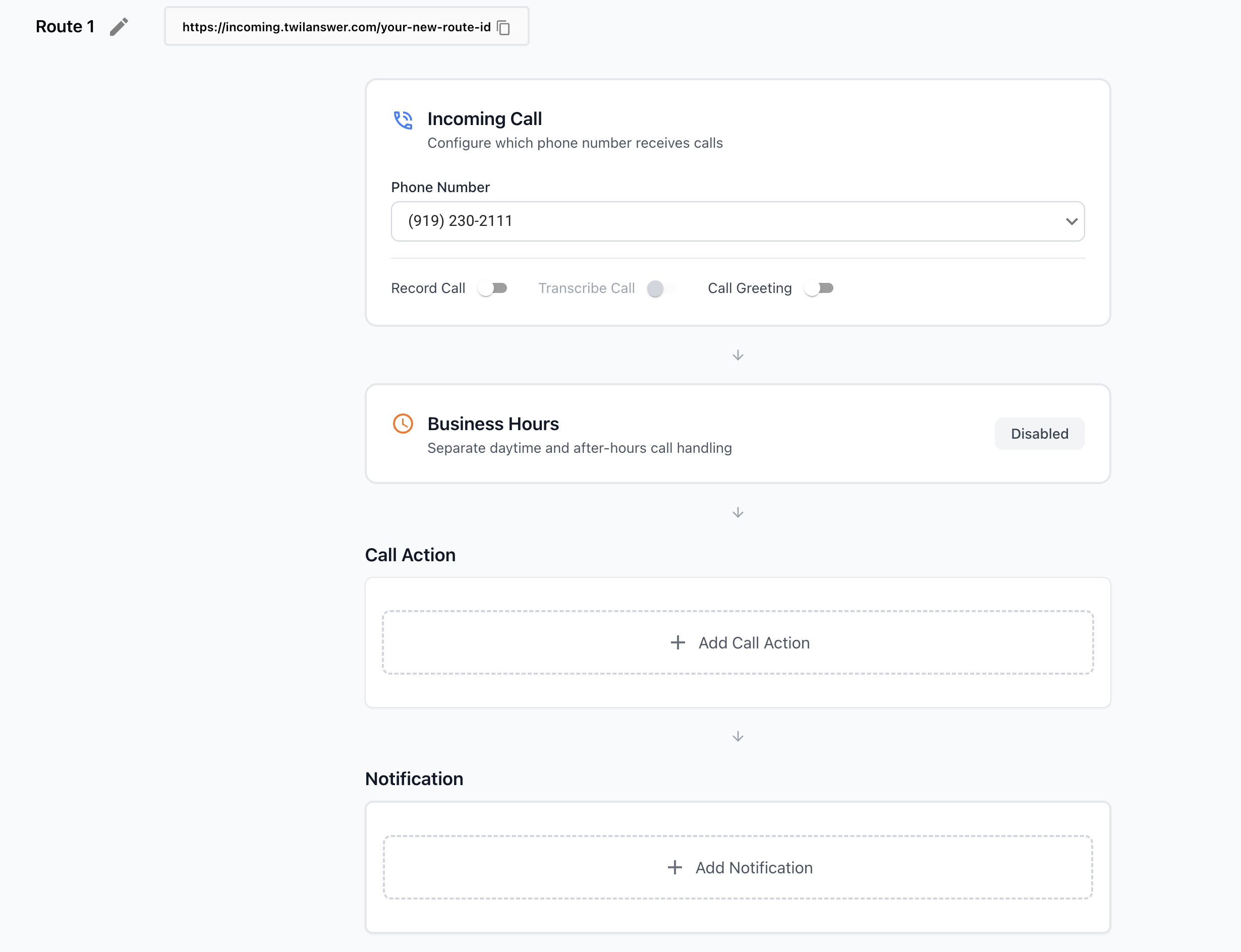
For step-by-step guidance on building routes, hours, actions, and notifications, see How to Configure Call Routes.